Codetricks
Computeralgebra
Computeralgebra is the use of computer programs to perform symbolic analysis and solving of equations and expressions.
In our moodle system we use Maxima, a powerfull opensource Computeralgebrasystem.
In research we often resort to Mathematica which is a commercial system. But if you own a raspberry pi, then you just need to run
sudo apt install wolfram-engine
We will install maxima https://maxima.sourceforge.io/download.html. Again you can just click the codetour link (if you open the file in vs-code source code view)...
Then open the folder 04maxima for some example files with plotting, integrating, derivatives and performing Taylor series expansions.
Restrictions of maxima
By now, you might have figured out, that as a Physicist you describe our world with differential equations. Oftenly, we have to solve inhomogenous differential equations, which by virtue of the Greens-function formalism can be transformed into integral equations. So in order to solve problems analytically, we have to solve integrals. Unfortunately maxima is not the best program for solving integrals:
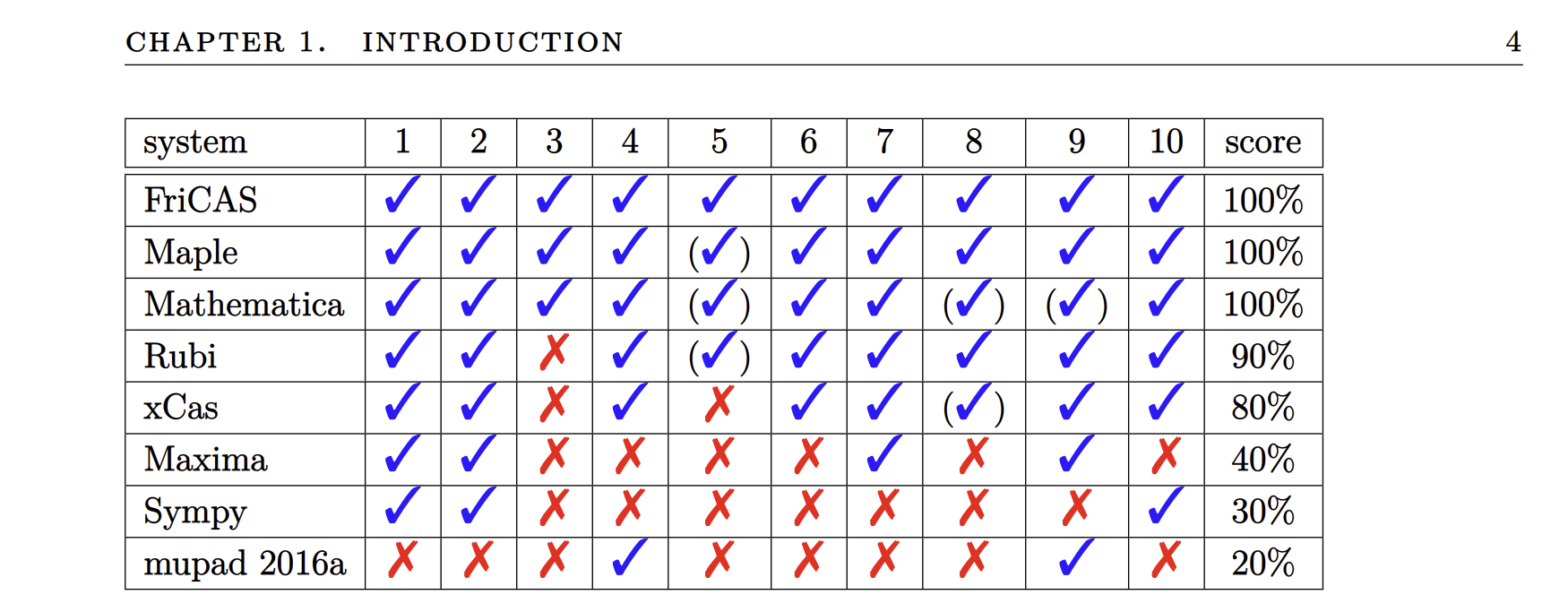
As you can see FriCAS is the top computer algebra systems on the market. And it is also free and open source. Unfortunately without some small adjustment, you only get a text interface. So here is how you can get a comparable experience as with maxima. It works easiest in linux but on windows you can follow the steps described in 09-Jupyterlab-Programming to install Windows-Subsystem-For-Linux (you can stop before "Install vscode ws-extension (only for windows)").
Then to install FriCAS do:
sudo apt update
sudo apt install emacs texlive auctex dvipng
sudo su
cd /
#download from: https://github.com/fricas/fricas/releases
# eg.: fricas-1.3.12.amd64.tar.bz2
# unpack with
tar xjf fricas-1.3.12.amd64.tar.bz2
#start
efricas
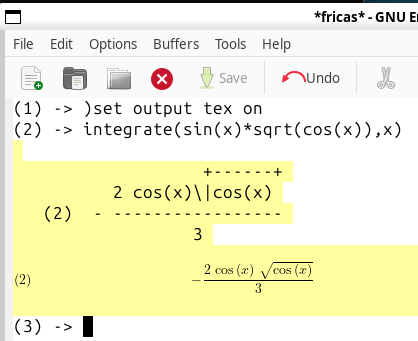
Then you can also get nicely rendered math formulas: